 Image 1 of 2
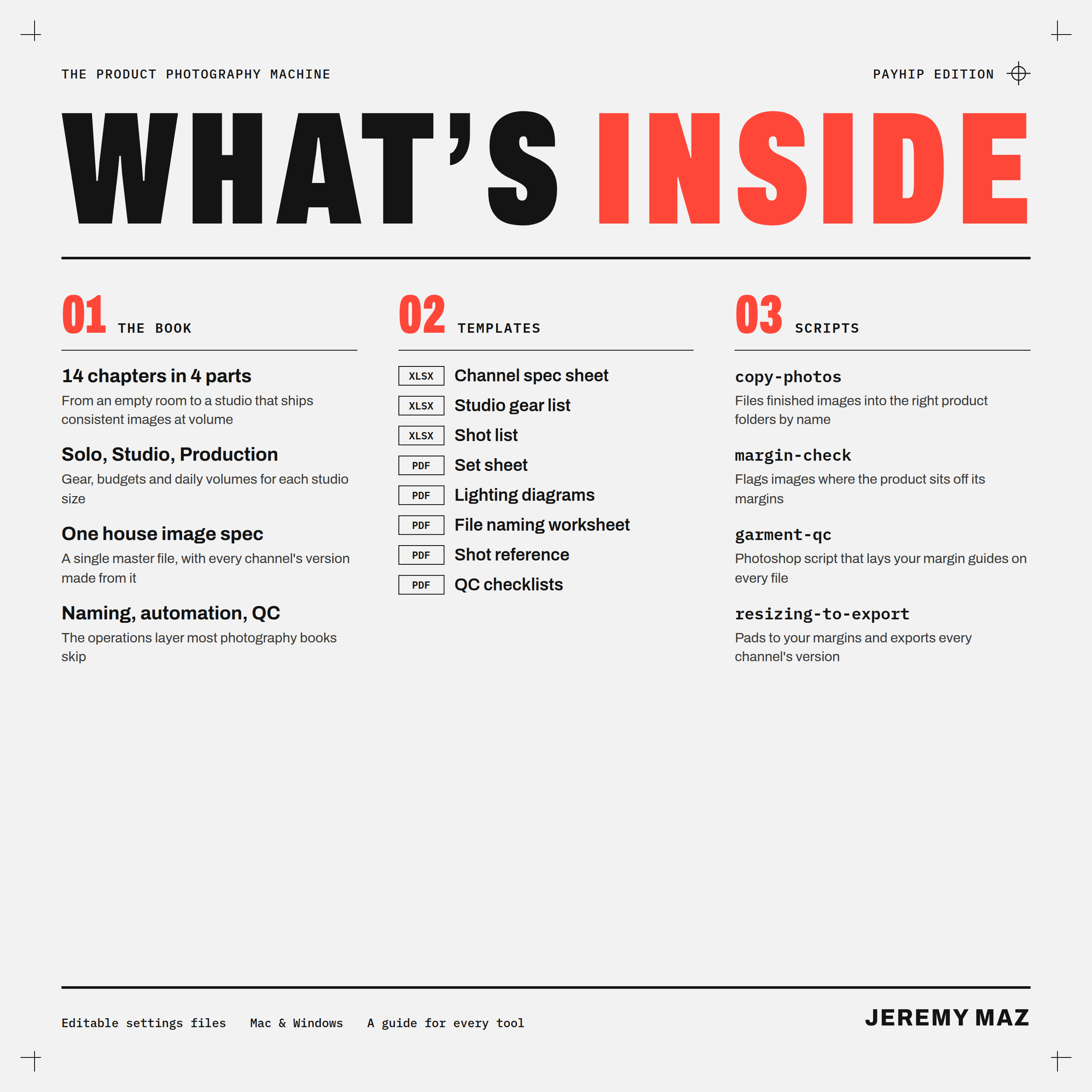 Image 2 of 2
The Product Photography Machine — Book + Template Pack
Make the four-hundredth product photo look exactly like the first.
Most photography books teach you to make one great picture. This one teaches you to run a studio that makes thousands of consistent ones: the same light, the same size in the frame, the same color, named so software can find them, and delivered in the exact version every sales channel asks for.
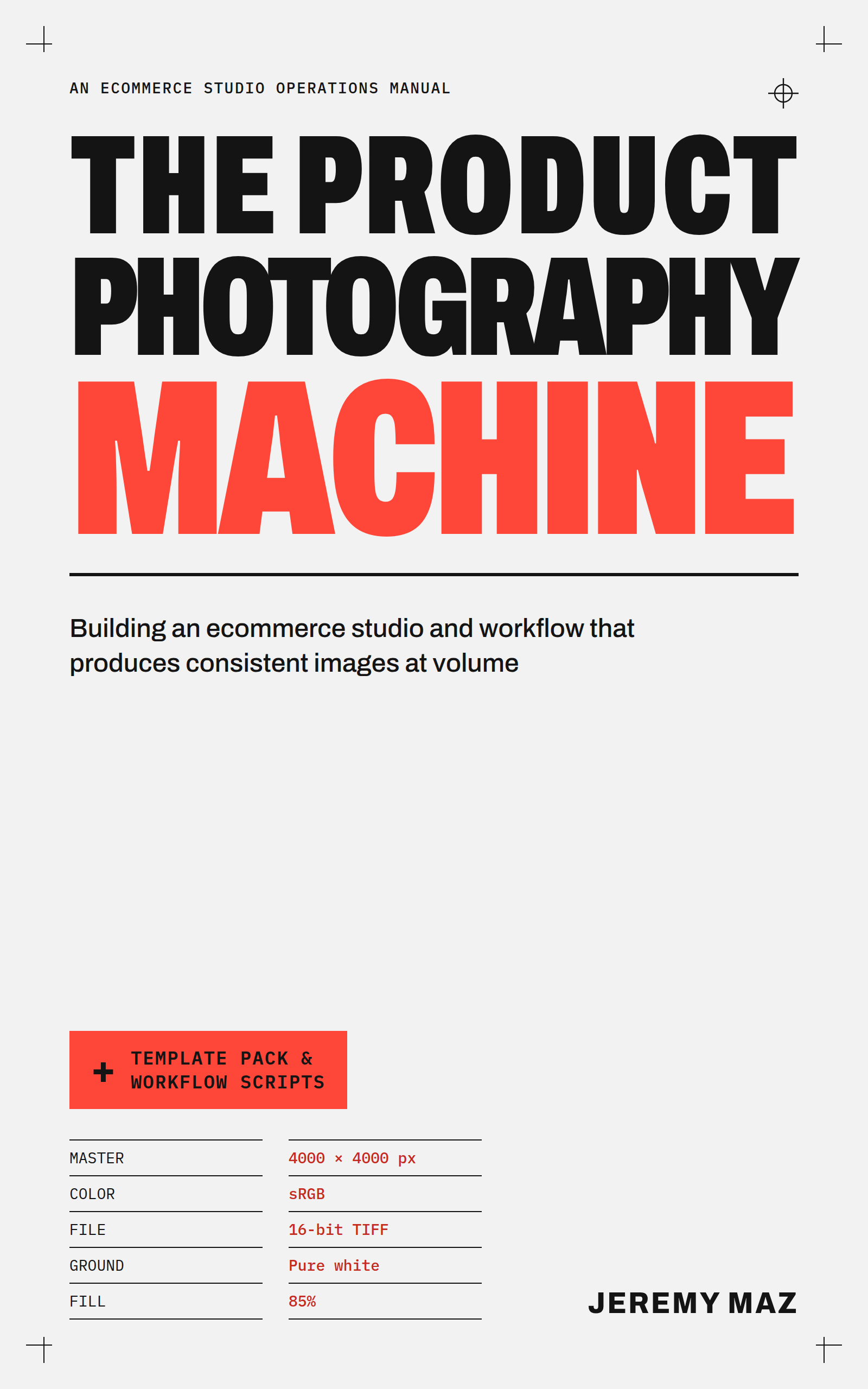
The Product Photography Machine is an operations manual for ecommerce product photography. It's written by a studio photographer with more than ten years of experience, a lot of it in an in-house apparel studio, and it covers the part nobody sells you: the system around the camera.
Inside the book
A house image spec. One master file that satisfies Amazon, Google, eBay, Etsy and Shopify at once, and the conflicts between their rules that catch most studios out.
A studio you can rebuild from a page. Room, surfaces, lighting setups, camera settings and color, set up once, written down, and repeated every shoot.
The naming contract. Why the product's identifier belongs in the file name before the first frame, and how to get it there.
Tethered capture, shot lists and shoot days planned around real crew numbers, not gear marketing.
Quality control that prevents reshoots, including margin specs that keep every product the same size in the grid.
Automation: the nine-stage pipeline, batch channel versions, metadata that survives, and delivery to every channel.
AI, handled honestly, including the disclosure rules each channel now enforces, and a 90-day plan to build a studio from scratch.
Every chapter ends with what its advice looks like at three studio scales, from a solo seller in a spare room to a production studio with several sets.
The template pack
8 templates, as spreadsheets and printable PDFs:
Channel spec sheet, with the date each rule was checked
Studio gear list with costs at every scale, plus a cost-per-image calculator
Set sheet (positions, lights, camera settings)
Lighting diagrams for the three core setups
File naming worksheet
Shot reference, with real pants and T-shirt examples
Shot list with sample tracking
QC checklists for every scale
4 workflow scripts, each with an editable settings file, a step-by-step guide and double-click launchers for Mac and Windows:
copy-photos: files retouched images back into their product folders automatically
garment-qc: a Photoshop script that places your margin guides on every open file
margin-check: measures every image's margins against your spec and flags the ones that are off
resizing-to-export: pads each image to your margins and makes every channel's version in one run
Who it's for
Sellers shooting their own products who want the store to look like one brand
Photographers building or running an in-house ecommerce studio
Studio leads who need a process that doesn't depend on one person's memory
What you get: the book as a 72-page PDF and an EPUB for any ebook reader, plus the template pack as one download. Instant access after purchase.
FAQ
What software do I need? The templates open in Excel, Google Sheets, Numbers or LibreOffice, and any PDF reader. copy-photos, margin-check and resizing-to-export run on Mac or Windows with the free Node.js installed. garment-qc needs Adobe Photoshop.
Do I need to know how to code? No. Each script runs with a double-click, and every setting lives in a plain settings file that the guide walks you through.
Does it work for products other than clothing? Yes. The examples lean on apparel because that's where the author's studio experience is, but the spec, lighting, naming, QC and automation chapters apply to any product.
Can I use the templates for client work? Yes. They're licensed for your own studio or business, including client work. You can't resell or share the blank templates or the book. The scripts are MIT licensed.
Is there an Amazon Kindle edition? Yes, but it's the book only. The template pack is only available here.
Refunds: Because these are digital files you keep once downloaded, sales are final. If a file won’t open, your download didn’t arrive, or you bought twice by mistake, email hello@productphotomachine.com within 30 days and we’ll send a working copy or refund you in full.
Make the four-hundredth product photo look exactly like the first.
Most photography books teach you to make one great picture. This one teaches you to run a studio that makes thousands of consistent ones: the same light, the same size in the frame, the same color, named so software can find them, and delivered in the exact version every sales channel asks for.
The Product Photography Machine is an operations manual for ecommerce product photography. It's written by a studio photographer with more than ten years of experience, a lot of it in an in-house apparel studio, and it covers the part nobody sells you: the system around the camera.
Inside the book
A house image spec. One master file that satisfies Amazon, Google, eBay, Etsy and Shopify at once, and the conflicts between their rules that catch most studios out.
A studio you can rebuild from a page. Room, surfaces, lighting setups, camera settings and color, set up once, written down, and repeated every shoot.
The naming contract. Why the product's identifier belongs in the file name before the first frame, and how to get it there.
Tethered capture, shot lists and shoot days planned around real crew numbers, not gear marketing.
Quality control that prevents reshoots, including margin specs that keep every product the same size in the grid.
Automation: the nine-stage pipeline, batch channel versions, metadata that survives, and delivery to every channel.
AI, handled honestly, including the disclosure rules each channel now enforces, and a 90-day plan to build a studio from scratch.
Every chapter ends with what its advice looks like at three studio scales, from a solo seller in a spare room to a production studio with several sets.
The template pack
8 templates, as spreadsheets and printable PDFs:
Channel spec sheet, with the date each rule was checked
Studio gear list with costs at every scale, plus a cost-per-image calculator
Set sheet (positions, lights, camera settings)
Lighting diagrams for the three core setups
File naming worksheet
Shot reference, with real pants and T-shirt examples
Shot list with sample tracking
QC checklists for every scale
4 workflow scripts, each with an editable settings file, a step-by-step guide and double-click launchers for Mac and Windows:
copy-photos: files retouched images back into their product folders automatically
garment-qc: a Photoshop script that places your margin guides on every open file
margin-check: measures every image's margins against your spec and flags the ones that are off
resizing-to-export: pads each image to your margins and makes every channel's version in one run
Who it's for
Sellers shooting their own products who want the store to look like one brand
Photographers building or running an in-house ecommerce studio
Studio leads who need a process that doesn't depend on one person's memory
What you get: the book as a 72-page PDF and an EPUB for any ebook reader, plus the template pack as one download. Instant access after purchase.
FAQ
What software do I need? The templates open in Excel, Google Sheets, Numbers or LibreOffice, and any PDF reader. copy-photos, margin-check and resizing-to-export run on Mac or Windows with the free Node.js installed. garment-qc needs Adobe Photoshop.
Do I need to know how to code? No. Each script runs with a double-click, and every setting lives in a plain settings file that the guide walks you through.
Does it work for products other than clothing? Yes. The examples lean on apparel because that's where the author's studio experience is, but the spec, lighting, naming, QC and automation chapters apply to any product.
Can I use the templates for client work? Yes. They're licensed for your own studio or business, including client work. You can't resell or share the blank templates or the book. The scripts are MIT licensed.
Is there an Amazon Kindle edition? Yes, but it's the book only. The template pack is only available here.
Refunds: Because these are digital files you keep once downloaded, sales are final. If a file won’t open, your download didn’t arrive, or you bought twice by mistake, email hello@productphotomachine.com within 30 days and we’ll send a working copy or refund you in full.